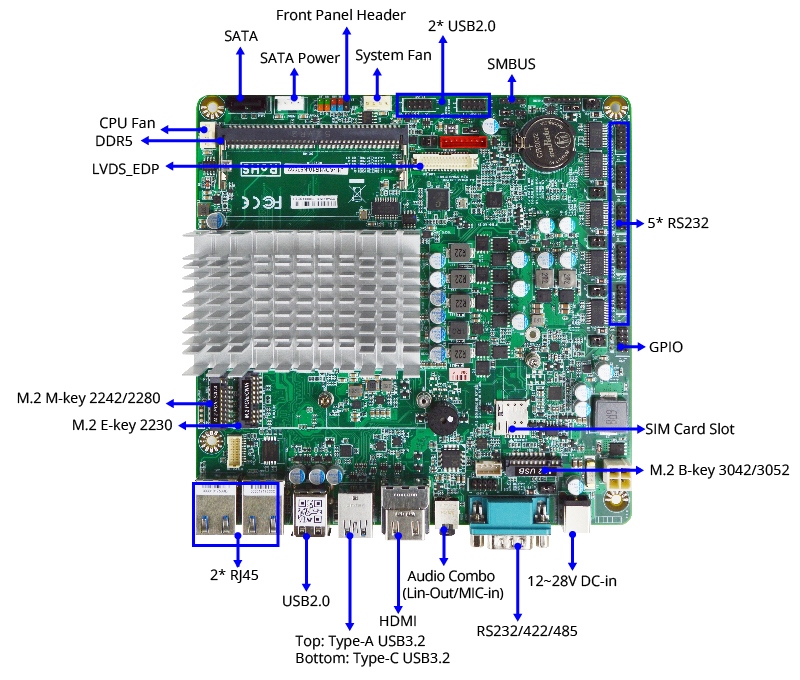
| Model Series | MTX-TWL1 |
| Part Number | MTX-TWL1-N2500010 (N250)
MTX-TWL1-N1500010 (N150) | MTX-TWL1-N2500210 (N250, dTPM 2.0)
MTX-TWL1-N1500210 (N150, dTPM 2.0) |
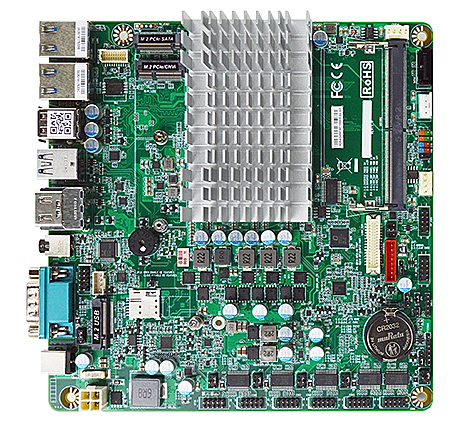
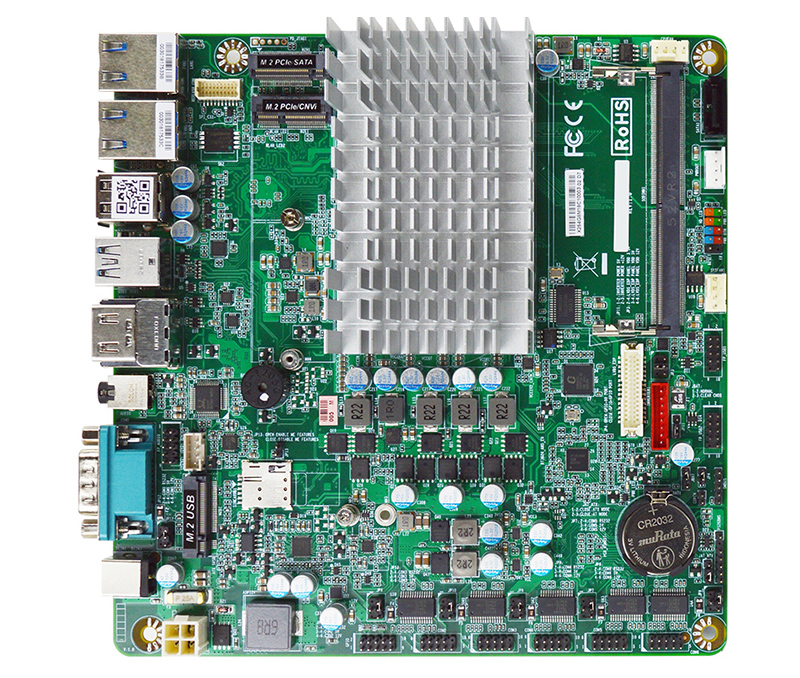
| Form Factor | Mini ITX (170 x 170mm) |
| Processor | Intel® Processor N250, Formerly Twin Lake (TDP 6W)
Intel® Processor N150, Formerly Twin Lake (TDP 6W) |
| Graphics | Intel® Graphics
Supports 3 x 4K Displays |
| Memory | 1 x Non-ECC DDR5 4800 MT/s SODIMM up to 32GB |
| Audio | Realtek ALC897 HD Audio and 3W Amplifier |
| LAN | 2 x Intel I226-V 2.5GbE |
| Storage | 1 x SATA3 6Gb/s
1 x M.2 2242/2280 (PCIe 3.0 x2 NVMe or SATA, M-key)
Special Order for optional eMMC 64GB |
| Super IO | FINTEK F81966D |
| TPM | Intel fTPM 2.0 (PTT) Trusted Computing Firmware | Intel fTPM 2.0 (PTT) Trusted Computing Firmware
Onboard NUVOTON TPM v2.0 |
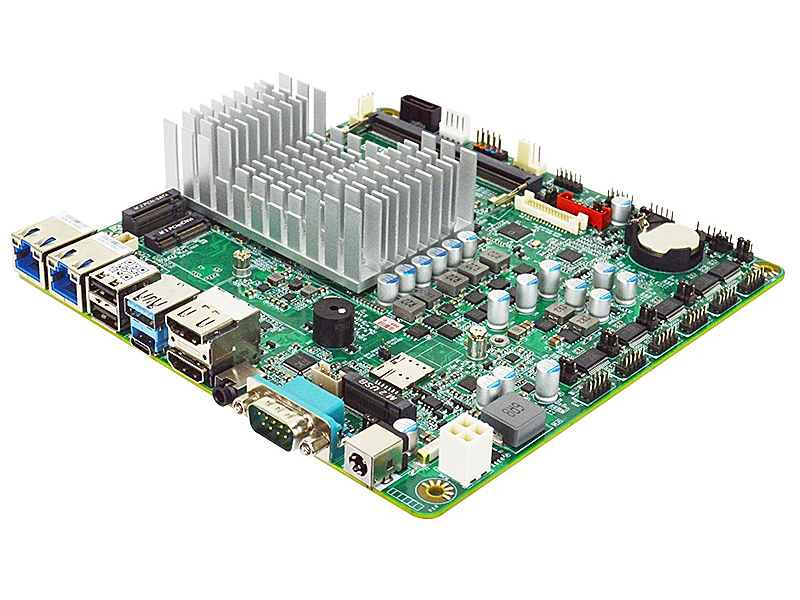
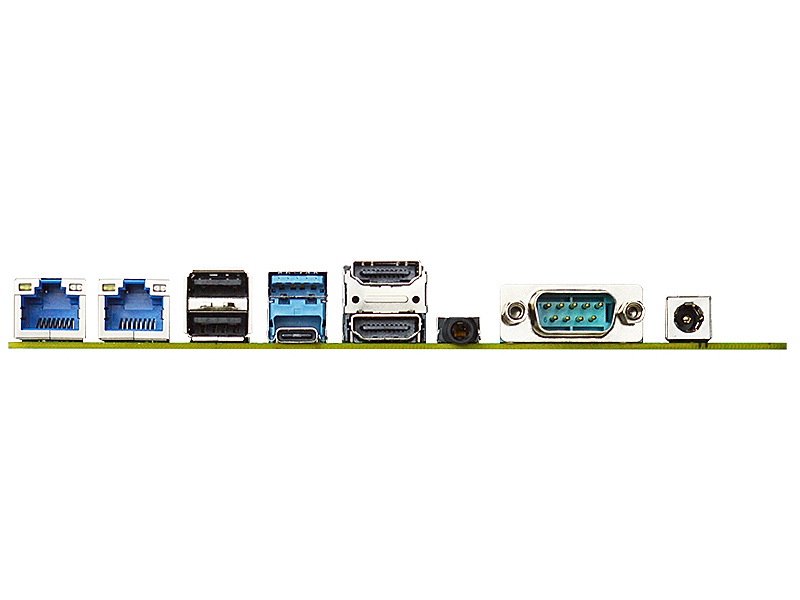
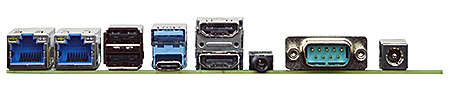
| Back Panel Connectors |
2 RJ45 2.5GbE LAN (10/100/1000/2500)
2 USB 2.0
1 USB 3.2 Gen 2x1 (10 Gb/s)
1 USB 3.2 Gen 2x1 Type-C (10 Gb/s) with DP 1.4 (4096 x 2160 @ 60Hz)
2 HDMI 2.0b (4096 x 2160 @ 60Hz)
1 3.5mm Audio Jacks (Line-Out / Mic-In)
1 Serial Port (RS232/422/485)
1 12V ~ 28V 2.5mm Diameter DC Power Jack
|
| Onboard I/O Connectors |
1 SATA3 6Gb/s Connector
1 M.2 M-Key, 2242/2280 (PCIe 3.0 x2 NVMe or SATA)
1 M.2 E-key, 2230 (USB2.0/PCIe 3.0 x1/CNVi)
1 M.2 B-key, 3042 3052 (USB3.2/2.0 for Cellular)
2 USB Headers for 4 additional USB 2.0 Ports
5 Serial Headers (5 * RS232)
1 24-bits Dual Channel LVDS/eDP (1920x1080 @60Hz)
1 Nano SIM Socket
1 8 bit GPIO Header
1 AT/ATX Mode Jumper
1 9-pin Front Audio Header
1 PS/2 Keyboard and Mouse Header
1 5-pin SMBUS Header
2 Fan Header
1 4-pin Alternate Power-in Connector
|
| Power Supply for MTX-TWL1 |
External Power Supply – the board can be powered with a +12V ~ +28V external power supply though a DC connector on the back panel. The rear +12V ~ +28V DC jack accepts plugs with an inner diameter (ID) of 2.5 mm and an outer diameter (OD) of 5.5 mm.
Internal Power Supply – the board can alternatively be powered via the internal +12V ~ +28V DC 2 x 2 power connector, where pins 3 and 4 are +12V ~ +28V (±5%) DC and pins 1 and 2 are GND. The connector used is Molex Micro-Fit (3mm pitch), right-angled, 4-pos/dual row (2x2).
Caution: There is no isolation circuitry between the external +12V ~ +28V DC jack and the internal 2 x 2 power connector. It is the system integrator's responsibility to ensure no more than one power supply unit is or can be attached to the board at any time and to ensure the external +12V ~ +28V DC jack is covered if the internal 2 x 2 power connector is to be used.
|
| Market Segments Supported |
√ Edge Computing
√ Digital Signage
√ Industrial PCs
√ Factory Automation
√ Smart Cities
√ Digital Security
√ Surveillance Application
|
| Environment |
Operating Temperature : -20 ~ 75°C
Storage Temperature : -20 ~ 85°C
Humidity: 10% ~ 90% RH @40°C (non-condensing)
|