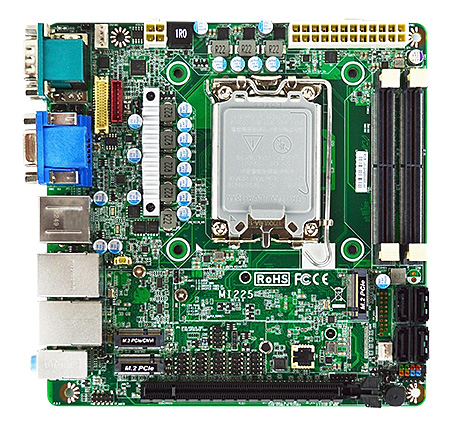
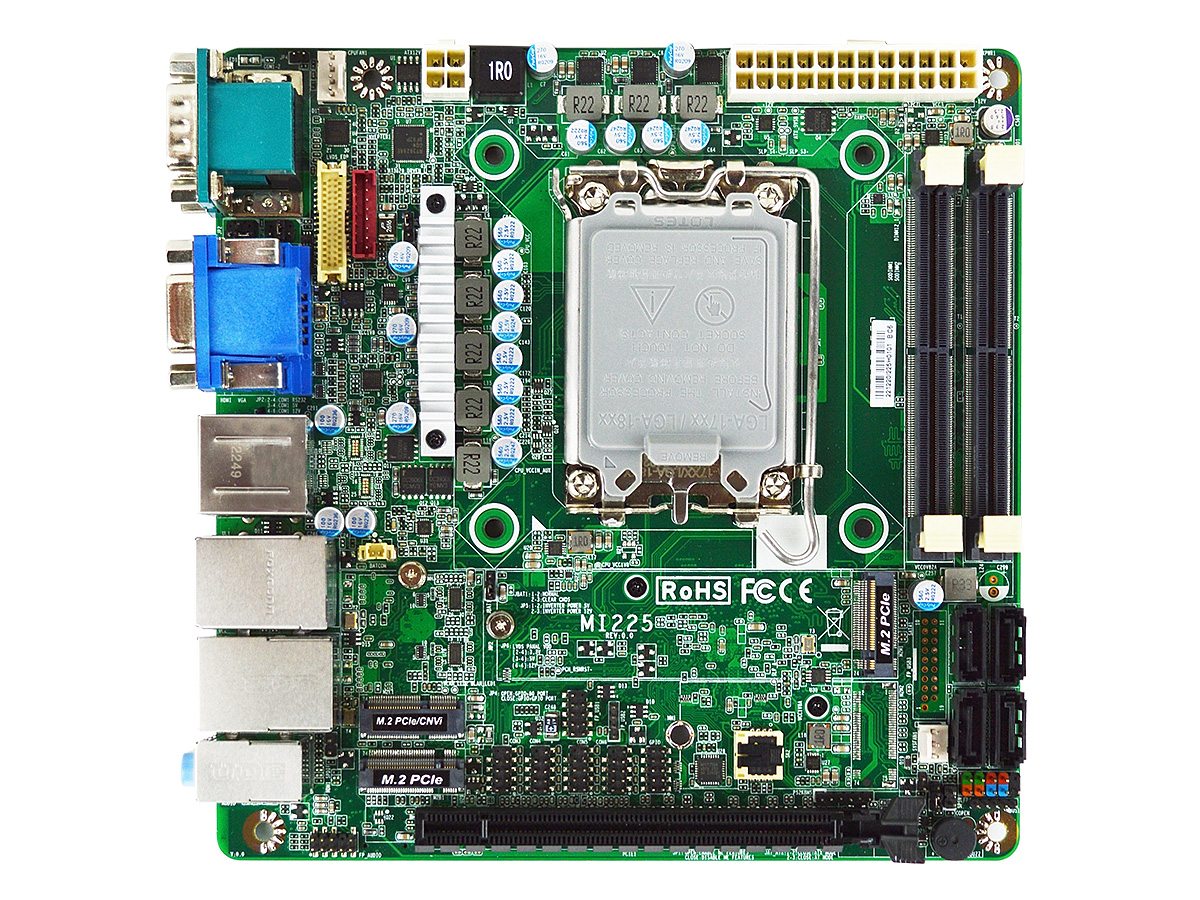
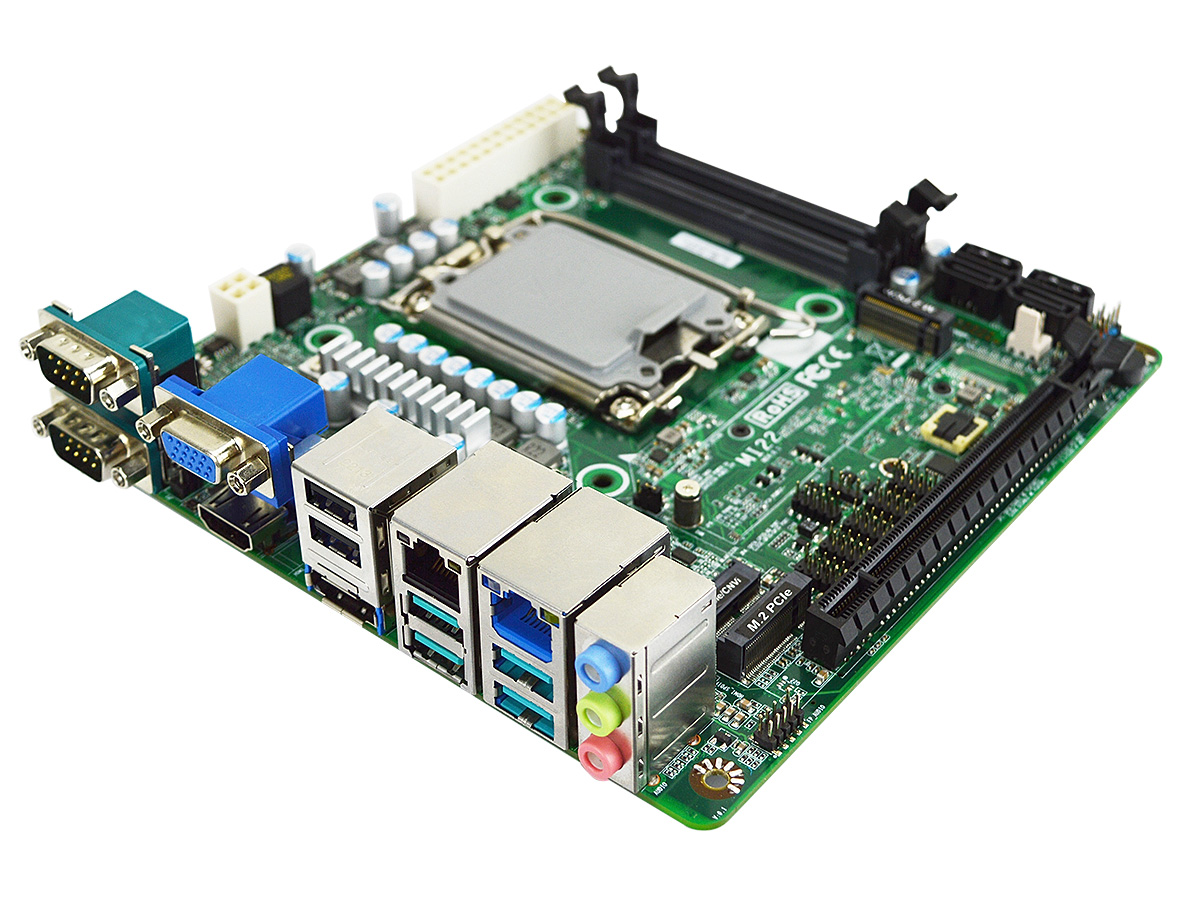
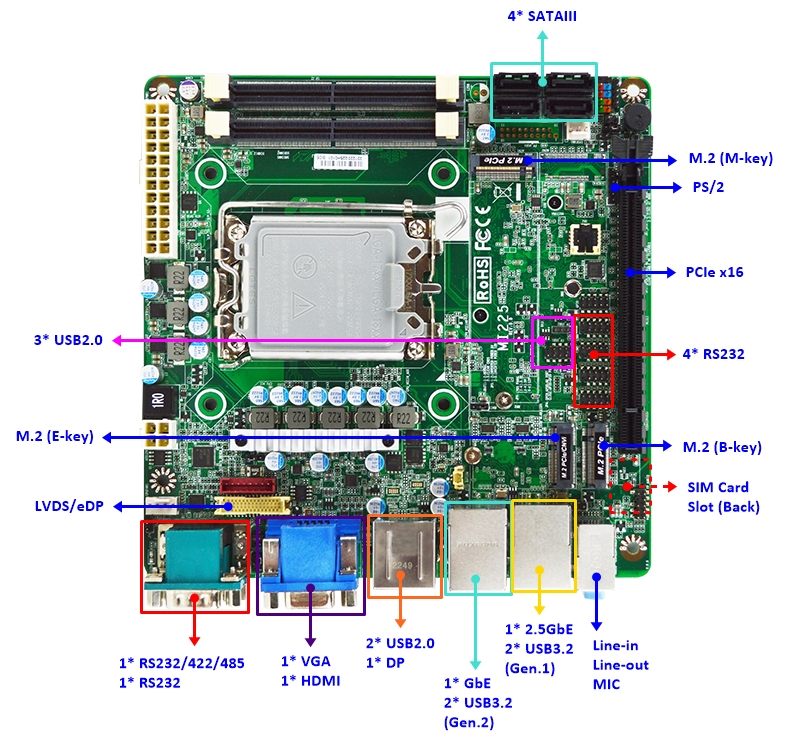
MI225H610 Industrial Mini-ITX Motherboard with H610 Chipset


- Intel® 12th/13th/14th Gen/Core Processors Series 2 up to 65W
- Long-Life Embedded Class with Silicon Availability for 5 Years
- 1 * PCIe 4.0 x16, 1 * M.2 M-key NVMe, 4 * USB 3.2
- One 2.5GbE, One 1GbE, 1 * M.2 B-key, 1 * M.2 E-key, 4 * COMs
- Supports up to 3 Displays, HDMI, DP, VGA, LVDS/eDP
- 2 * DDR5-5600 Dual Channel SODIMM up to 96GB
- Supports BIOS Recovery, ECO-design for EuP/ErP

Specification

Model Series

MI225H610

Part NumberMI225H6100MI225H6102 (TPM 2.0)
Form FactorMini ITX (170 x 170mm)
ProcessorIntel® 12th / 13th / 14th Gen / Core™ Processors (Series 2) up to 65W TDP and IccMax 180A
Socket LGA 1700 (Formerly Alder Lake-S / Raptor Lake-S / Raptor Lake Refresh / Bartlett Lake)
ChipsetIntel H610
Memory2 x DDR5-5600 SODIMM Dual Channel up to 96GB Total
* 12th Gen CPU only supports DDR5-4800
GraphicsRequires Intel Core processor with Intel HD Graphics
AudioRealtek ALC888S HD Audio
LAN1 x Intel I225/226-V 2.5GbE
1 x Intel I219-V PHY Gigabit LAN
Storage4 x SATA3 6Gb/s
1 x M.2 type 2280 (PCIe 3.0 x4 NVMe, M-key)
Super IOFINTEK F81966D
TPMIntel fTPM 2.0 (PTT) Trusted Computing FirmwareIntel fTPM 2.0 (PTT) Trusted Computing Firmware
Onboard NUVOTON TPM v2.0
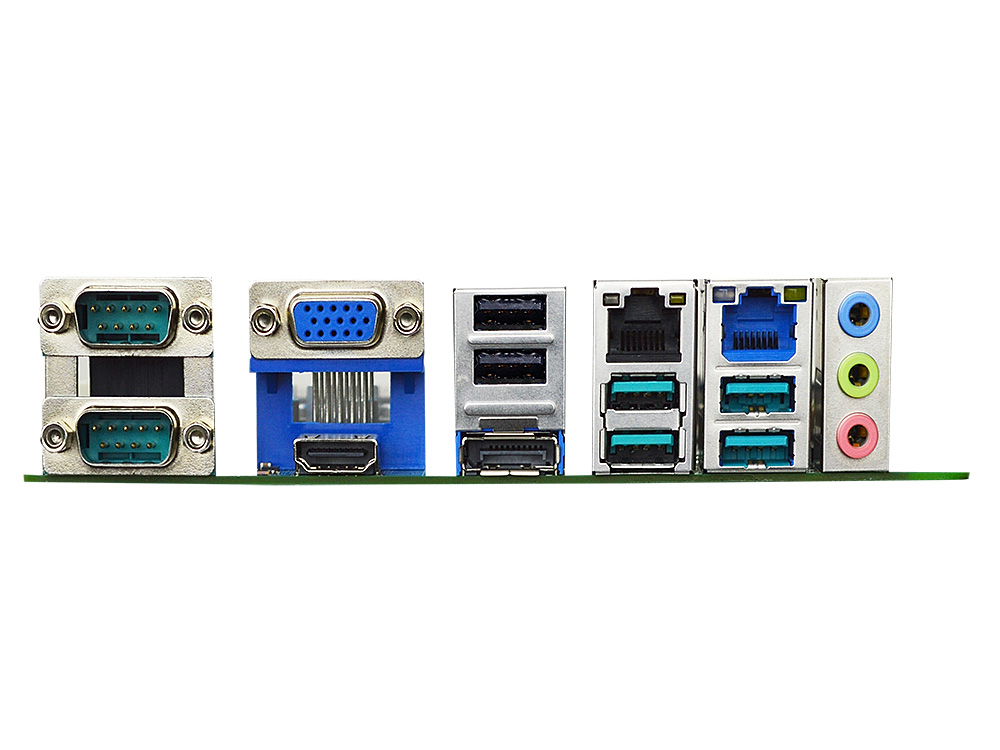
Back Panel Connectors
2 Serial Ports (1 * RS232/422/485, 1 * RS232)
1 HDMI 2.0b (4096 * 2160 @ 60Hz)
1 DP 1.4a (4096 * 2304 @ 60Hz)
1 VGA (1920 * 1080 @ 60Hz)
1 RJ45 LAN (10/100/1000)
1 RJ45 2.5GbE LAN (10/100/1000/2500)
2 USB 3.2 Gen 2 (10 Gb/s)
2 USB 3.2 Gen 1 (5 Gb/s)
2 USB 2.0
1 3.5mm Line-in Jack
1 3.5mm Line-out Jack
1 3.5mm MIC-in Jack
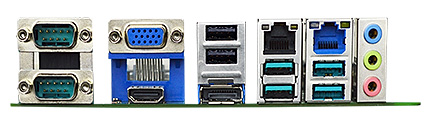
MI225H610 Mini-ITX Motherboard Rear I/O Ports with 2.5GbE LAN and 3 Displays
Onboard I/O Connectors
1 PCIe x16 Slot
4 SATA3 6Gb/s Connector
1 M.2 M-Key, 2280 (PCIe 3.0 x4 NVMe)
1 M.2 E-key, 2230 (USB2.0 and PCIe 3.0 x1 CNVi WiFi)
1 M.2 B-key, 3042 (PCIe 3.0 x1 for SIM)
2 USB Pin Headers for 3 additional USB 2.0 Ports
4 Serial Headers (4 * RS232)
1 Combo 24-bits Dual Channel LVDS/eDP (choose setting in BIOS)
1 Nano SIM Socket (on bottom)
1 8 bit GPIO Header
1 AT/ATX Mode Jumper
1 PS2 Keyboard/Mouse Header
1 9-pin Front Audio Header
1 5-pin SMBUS Header
2 Fan Header
1 24-pin ATX Power Connector
1 4-pin 12V ATX Power Connector
Market Segments Supported
√ Edge Computing
√ Digital Signage
√ Industrial PCs
√ Factory Automation
√ Public Sector
√ Digital Security
√ Surveillance Application
Environment
Operating Temperature : 0 ~ 60° C (with 0.7m/s air flow)
Storage Temperature : -20 ~ 85°C
Humidity: 10% ~ 90% RH @40°C (non-condensing)
Features

Ordering Info
Part Number Description
MI225H6100-A2 Industrial Mini-ITX motherboard, I226-V LAN, NCT3532
MI225H6102-A2 Industrial Mini-ITX motherboard with onboard TPM 2.0, I226-V LAN, NCT3532
MI225H6100-A1 Industrial Mini-ITX motherboard, I226-V LAN
MI225H6102-A1 Industrial Mini-ITX motherboard with onboard TPM 2.0, I226-V LAN
MI225H6100 Industrial Mini-ITX motherboard, I225-V LAN
MI225H6102 Industrial Mini-ITX motherboard with onboard TPM 2.0, I225-V LAN
F04-MB-073-F (Incl) IO shield
G01-SATA3-BL-1F (Incl) SATA cable
CPU Support

! Appendix "F" = CPU without Integrated Graphics and a PCI-E x16 Discrete Graphics Card is Required.
* Processor Base Power 65W or below and VCCCORE IccMax 180A or below.

12th Gen Intel® Processors
i9-12900TE
i9-12900T
i7-12700TE
i7-12700T
i5-12600T
i5-12600
i5-12500TE
i5-12500T
i5-12500E
i5-12500
i5-12400T
i5-12400F (Discrete Graphics Card is Required)
i5-12400
i3-12300T
i3-12300
i3-12100TE
i3-12100T
i3-12100F (Discrete Graphics Card is Required)
i3-12100E
i3-12100
G7400TE
G7400T
G7400E
G7400
G6900TE
G6900T
G6900E
G6900
  
13th Gen Intel® Processors
i9-13900TE
i9-13900T
i7-13700TE
i7-13700T
i5-13600T
i5-13600
i5-13500TE
i5-13500T
i5-13500E
i5-13500
i5-13400T
i5-13400F (Discrete Graphics Card is Required)
i5-13400E
i5-13400
i3-13100TE
i3-13100T
i3-13100F (Discrete Graphics Card is Required)
i3-13100E
i3-13100
  
14th Gen Intel® Processors
i9-14900T
i7-14700
i7-14700T
i5-14500
i5-14500T
i5-14400
i5-14400T
i5-14400F (Discrete Graphics Card is Required)
i3-14100
i3-14100T
i3-14100F (Discrete Graphics Card is Required)
Processor 300
Processor 300T
Intel® Core™ Processors (Series 2)
Core™ 9 Processor 273PE
Core™ 9 Processor 273PTE
Core™ 7 Processor 253PE
Core™ 7 Processor 253PTE
Core™ 7 Processor 251TE
Core™ 7 Processor 251E
Core™ 5 Processor 223PE
Core™ 5 Processor 223PTE
Core™ 5 Processor 221TE
Core™ 5 Processor 221E
Core™ 5 Processor 211TE
Core™ 5 Processor 211E
Core™ 5 211EF (Discrete Graphics Card Required)
Core™ 3 Processor 201TE
Core™ 3 Processor 201E
Core™ 3 201EF (Discrete Graphics Card Required)
OS Support List
Windows Linux
Windows 11 64bit CentOS 9
Windows 11 IoT Enterprise LTSC 2024 64-bit (24H2) Debian 11.4
Windows 10 IoT Enterprise LTSC 2021 64-bit (21H2) Fedora 36-1.5
OpenSUSE 15.4
Ubuntu 22.04
pfSense 2.7.2
OpenBSD 7.4
RedHat Enterprise Linux (RHEL) 9.4
FreeBSD 13.2
OPNsense 23.7
DynFi Firewall v24
TrueNAS SCALE 24.10
VMware ESXi 8.0 Update 2
Downloads
MI225H6100 BIOS A05 (Default Intel PTT) Release Date 2026-6-11
Description Update Microcode for Bartlett Lake 12P.
Download  M2IH5A05.zipfor UEFI
Flash Instructions for UEFI 1. Unzip the file and copy to the USB flash drive with FAT32 format.
2. Insert the USB drive, Enter BIOS, and select "Built-in EFI Shell" from Boot Override.
3. Type "fs0:" to change path when you see Shell prompt. Might be "fs1:" if you have more than one drive.
4. Type *.NSH to auto update BIOS.
5. Power off the system after the update finished.
* Read Detailed Instructions in PDF
Revised History [A04]. 1.Update Microcode. 2.Support Bartlett Lake Processor.
[A03]. Update Microcode 0x129.
[A02]. 1.Support 14th Gen Raptor Lake Refresh Processor. 2.Update Microcode.
[A01]. Initial BIOS.
MI225H6102 BIOS AT5 (Default dTPM) Release Date 2026-6-11
Description Update Microcode for Bartlett Lake 12P.
Download  M2IH5AT5.zip for UEFI
Flash Instructions for UEFI 1. Unzip the file and copy to the USB flash drive with FAT32 format.
2. Insert the USB drive, Enter BIOS, and select "Built-in EFI Shell" from Boot Override.
3. Type "fs0:" to change path when you see Shell prompt. Might be "fs1:" if you have more than one drive.
4. Type *.NSH to auto update BIOS.
5. Power off the system after the update finished.
* Read Detailed Instructions in PDF
Revised History [AT4]. 1.Update Microcode. 2.Support Bartlett Lake Processor.
[AT3]. Update Microcode 0x129.
[AT2]. 1.Support 14th Gen Raptor Lake Refresh Processor. 2.Update Microcode.
[AT1]. Initial BIOS.

· Please do not flash the BIOS UNLESS your system has a BIOS-related issue. Flashing the wrong BIOS can cause irreparable damage to the system.
· Please be aware that by flashing this BIOS you agree that in the event of a BIOS flash failure, you must contact your dealer for a BIOS replacement. There are no exceptions to this policy. Jetway does not have a policy of replacing BIOS chips directly with end users.


Drivers for MI225H610
  Windows 10 (64 bit) Windows 11 (64 bit)
Chipset  inf_rpl.zip  inf_rpl.zip
Graphic  gfx_rpl.zip  gfx_rpl.zip
Sound  audio_dch_rpl.zip  audio_dch_rpl.zip
LAN  Intellan_i22x_win.zip  Intellan_i22x_win.zip
RST  rst_rpl.zip  rst_rpl.zip
SIO  sio_rpl.zip  sio_rpl.zip
ME  ime_rpl.zip  ime_rpl.zip
Manual
1.0  G03-MI225-F.pdf
Resources
FCC  FCC
CE  CE
LVD  LVD
RoHS  RoHS
Power Consumption Report  Reports available upon request
Temperature Test Report  Reports available upon request
Watchdog/GPIO sample code  Watchdog and GPIO sample code for Windows and Linux