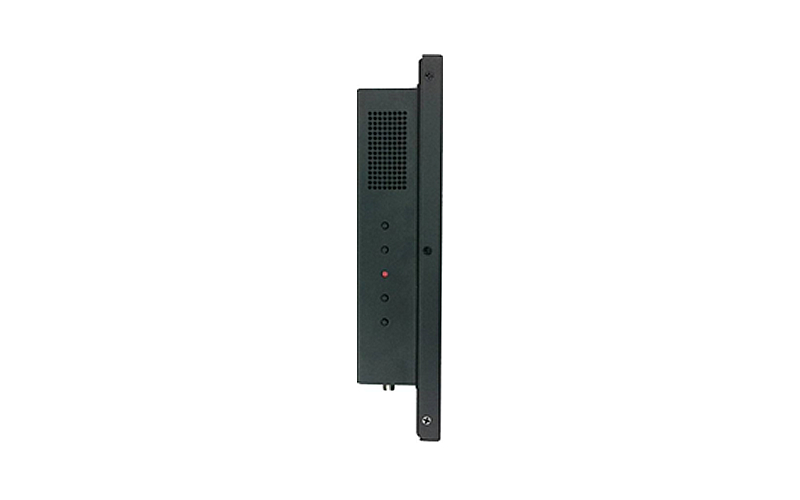
- 3rd Generation Intel® Atom Dual Core N2600
- Industrial Class Panel PC Planned Lifecycle Through Q4'2016
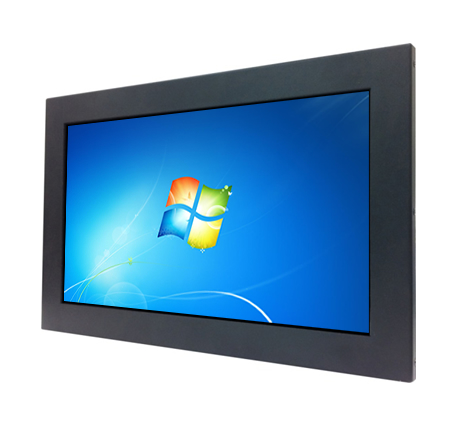
- IP65 Front Panel, 13.4" LED Backlight, 1366 x 768
- 12V 60W AC Adapter, 75/100 VESA Mountable
- Dual Gigabit LAN and 4 x COM ports
- ECO-design for EuP/ErP

Specification
Model No   HPPC-134F36R-2600-B
Part No   HPPC-134F36R-2600B
Panel PC Specification
Panel size 13.4" LED backlight
Touch Screen 5-Wires Resistive touch
Resolutions 1366 x 768
Brightness 250 cd/㎡
Contrast 500 : 1
Response time 6 ms
Viewing angle 135 / 135
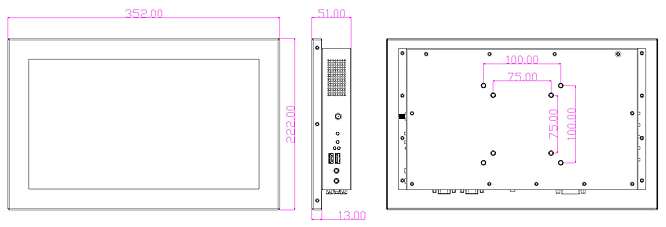
System size 352 (W) * 222 (H) * 51 (D) mm
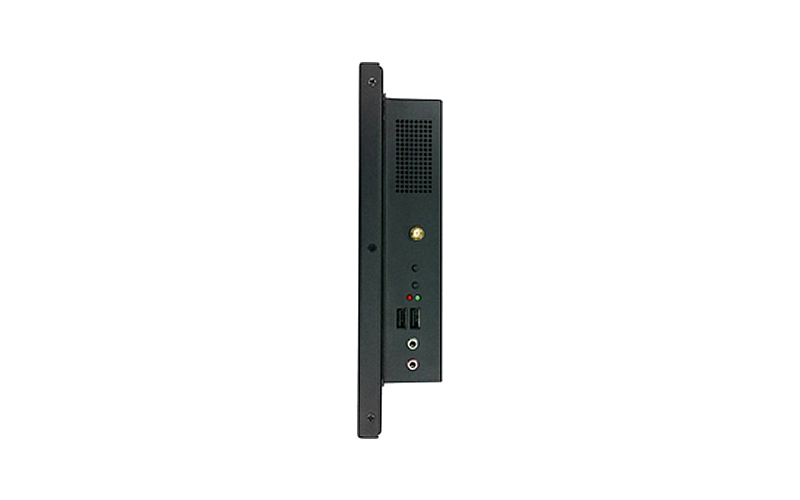
Right IO 1 * WiFi antenna connector
1 * Power button
1 * Rest button
1 * Power & HDD LED
2 * USB2.0
1 * Line out
1 * MIC in
1 * Right speaker
Left IO 1 * Volume + button
1 * Volume – button
1 * Clear CMOS button
1 * Brightness + button
1 * Brightness - button
1 * Left speaker
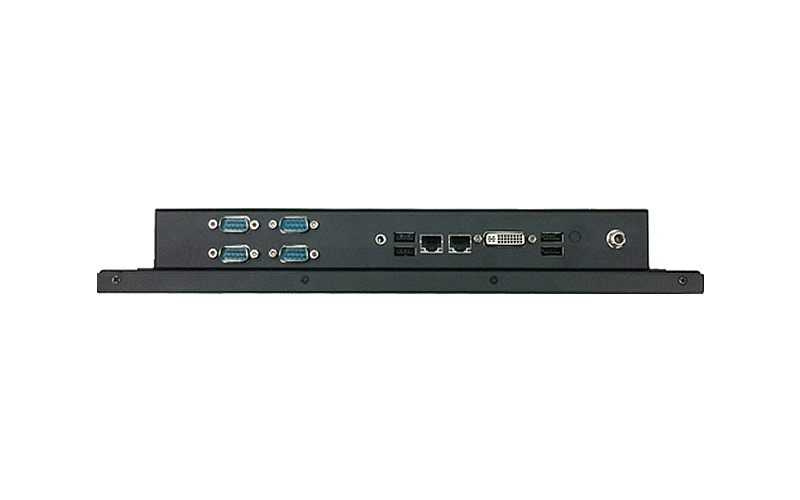
Bottom IO 4 * USB 2.0 ports
4 * COM ports
2 * RJ-45 port(Gigabit LAN)
1 * DVI-I port
1 * 12V lockable DC jack
1 * Audio jack (line-out)
Standard Accessory √ 60W AC-DC Adapter x1
√ Power Cord x1
√ CD Disk x1
√ Manual x1
√ WIFI antenna
Optional Accessory √ NA
Functional POS/POI, KIOSK
Packing Color Box Dimension: 265(W) x 100 (D) x 200 (H) mm
Gross Weight:1.39KG
Net Weight:1.17KG
Certificate CE,FCC,ErP For Barebone
CE,FCC,TUV,UL,CCC,CB,ErP For Power Adapter
Motherboard Specification
CPU Fanless Intel Atom N2600, 1.6GHz, Dual-Core, 3.5W, Hyper-Threading Support
Chipset Intel NM10 Chipset
Memory 1 * 204-pin DDR3-1066 SO-DIMM Single Channel 2 GB
VGA Integrated Intel HD 3600 graphics
Full HD 1080p playback hardware acceleration
LAN 2 * Realtek RTL8111EVL PCI-E Gigabit LAN
Audio Realtek ALC662 HD Audio
Storage / Drive Bay 1 * 2.5" SATA2 3Gb/s drive bay for HDD or SSD
1 * CFast Slot
Wireless / Mini-PCIE Slot Wireless 802.11 b/g/n
USB Embedded 7 * USB 2.0
COM Embedded 4 * COM (3 x RS232, 1 x RS232/422/485)
Board Form Factor 3.5" SBC (148mm x 102mm)
Ordering Info
Part Number Description
HPPC-134F36R-2600B 13.4" Panel PC with 5-Wires Resistive touch
G02-DVD5-A21-WF (Incl) DVD driver disk
L01AS029-F (Incl) Adapter 12V 5A 60W LEVEL5
HNSCOMWFAWNB097-F (Incl) AW-NB097H PCIE WiFi B/G/N+BT 4.0 card
J05-ANT-AN2400-F (Incl) WiFi antenna
Downloads
HPPC134F36 BIOS A07 Release Date 2013-7-5
Description Add 640x480 & 800x480 resolution.
Download  BF36AA07.zip
Installation Instructions for DOS 1. Prepare a MS-DOS bootable USB flash drive.
2. Download the zip file.
3. Unzip the file and copy to the USB flash drive.
4. Reboot the PC into MS-DOS mode and run *.bat in command prompt.
5. Wait in suspense until the update finished.
Revised History [A06]. Change blank logo at Quiet Boot.
[A05]. HDMI+LVDS1 -> DVI/HDMI+LVDS1.
[A04]. 1.Update VBIOS 1083. 2.Add external PXE option. 3.Auto disable EuP while using wakeup events.
[A03]. 1.Fixed COM3 cannot be used after S3 resume. 2.Fixed CIR issue when EuP is enabled. 3.Switch LAN1/LAN2 controller functions. 4.Remove Internal Graphics options.
[A02]. Add LVDS Brightness control options.
[A01]. Initial BIOS.

· Please do not flash the BIOS UNLESS your system has a BIOS-related issue. Flashing the wrong BIOS can cause irreparable damage to the system.
· Please be aware that by flashing this BIOS you agree that in the event of a BIOS flash failure, you must contact your dealer for a BIOS replacement. There are no exceptions to this policy. Jetway does not have a policy of replacing BIOS chips directly with end users.


Drivers for HPPC134F36
  Windows 7 (32 bit)
Chipset  intelinf.zip
VGA  cidarview.zip
Sound  alchd_full.zip
LAN  rtllan.zip
CIR  fintek_cir.zip
WiFi  AW_NE195_Win7.zip
Manual
5.0  NF36 V5.0
Resources
FCC  FCC
CE  CE
RoHS  RoHS
MTBF  NF36-2600 MTBF
 NF36-2800 MTBF
Power Consumption Repoert  Power Consumption Repoert
Temperature Test Report  Temperature Test Report
GPIO sample code  GPIO sample code
Watchdog sample code  Watchdog sample code