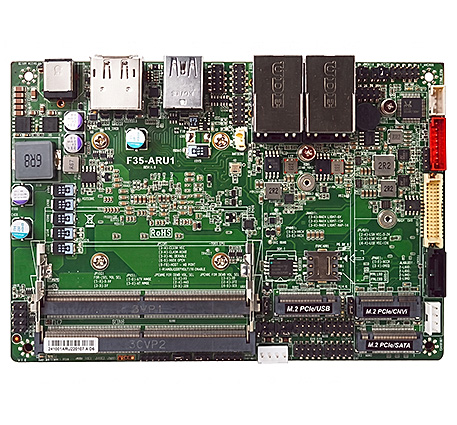
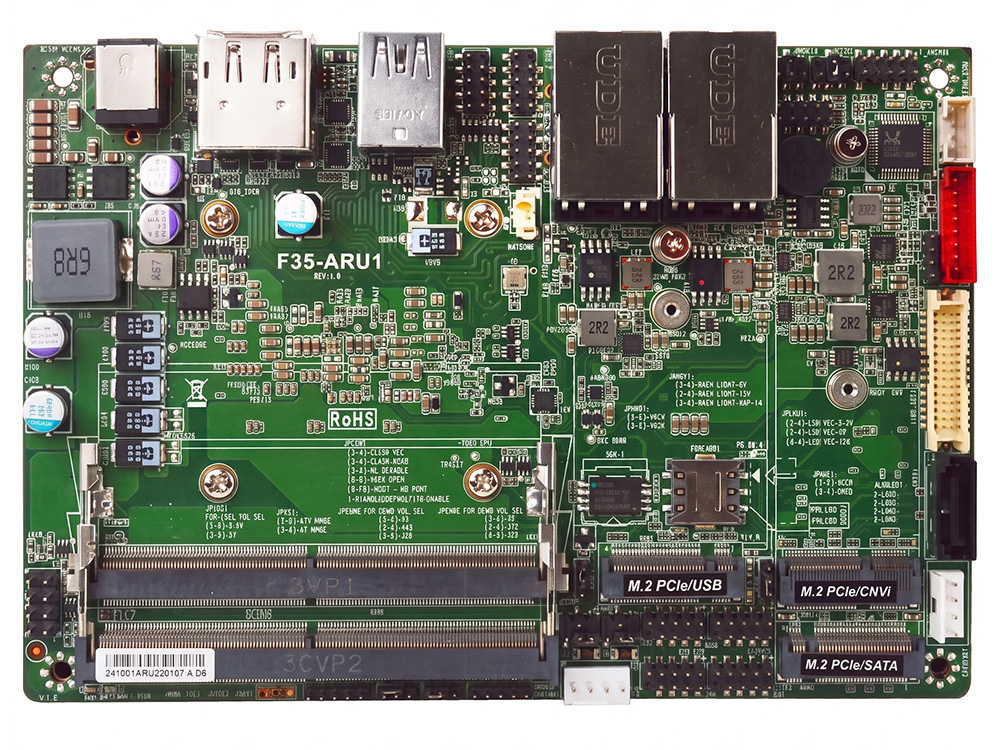
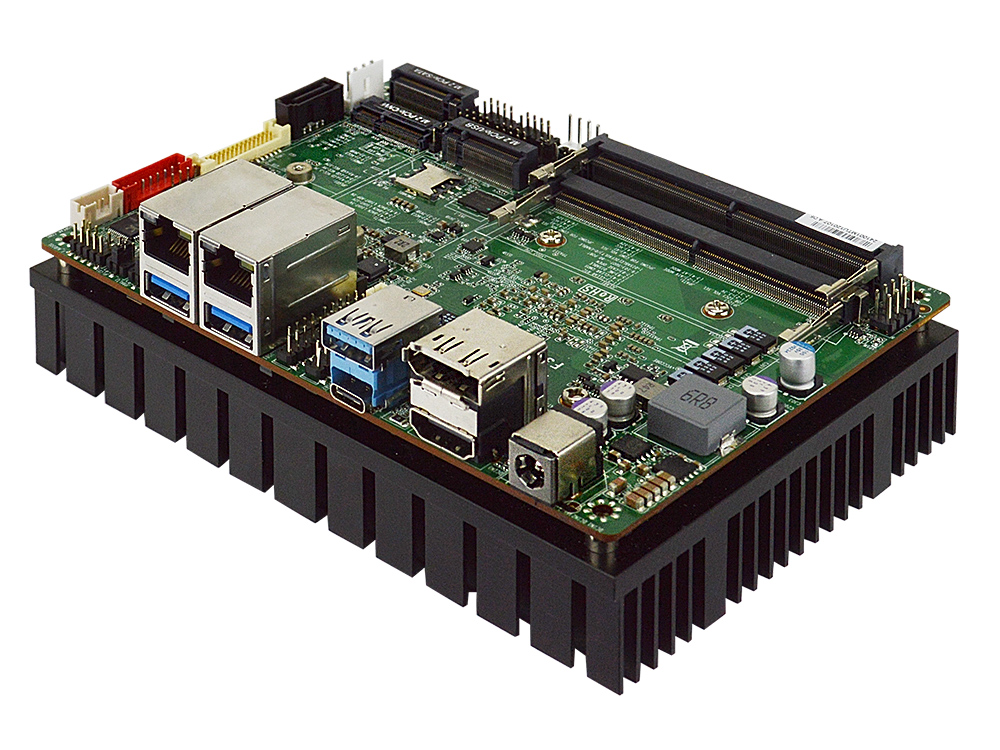
F35-ARU1 Industrial 3.5 SBC Motherboard with Core Ultra 7 Processor 255U


- Intel® Core™ Ultra 7 Processor 255U Processor, Arrow Lake-U
- Long-Life Embedded Class with 5+ Year Supply
- Supports 4 Displays, HDMI, DP, Type-C DP, eDP/LVDS
- 1 * M.2 M-key for SSD, , 1 * M.2 B-key, 1 * M.2 E-key
- 2 * Intel 2.5GbE, 4 * USB 3.2 Gen2, 4 * Serial
- 2 * DDR5-5600 Dual Channel SODIMM up to 128GB
- Supports BIOS Recovery, ECO-design for EuP/ErP

Specification

Model Series

F35-ARU1

Part NumberF35-ARU1-255U0020 (Core™ Ultra 7 255U)
F35-ARU1-225U0020 (Core™ Ultra 5 225U)
F35-ARU1-255U0220 (Ultra 7 255U, dTPM 2.0)
F35-ARU1-225U0220 (Ultra 5 225U, dTPM 2.0)
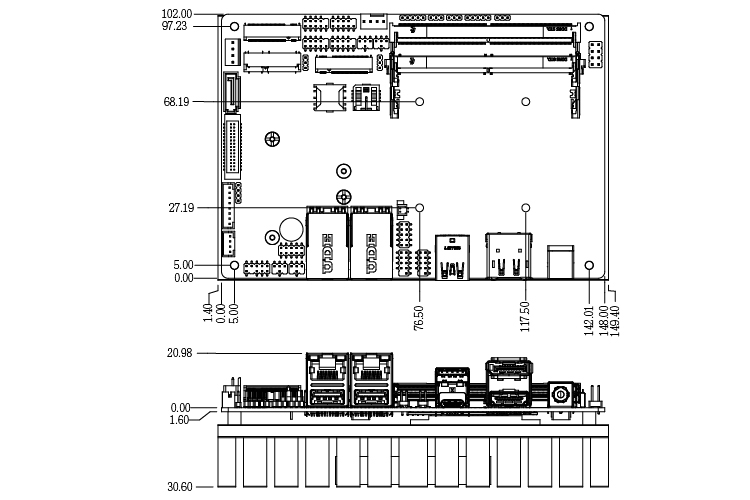
Form Factor3.5" SBC (148 x 102mm)
ProcessorIntel® Core™ Ultra 7 Processor 255U, Formerly Arrow Lake, vPro Essentials (Base Power 15W)
Intel® Core™ Ultra 5 Processor 225U, Formerly Arrow Lake, vPro Essentials (Base Power 15W)
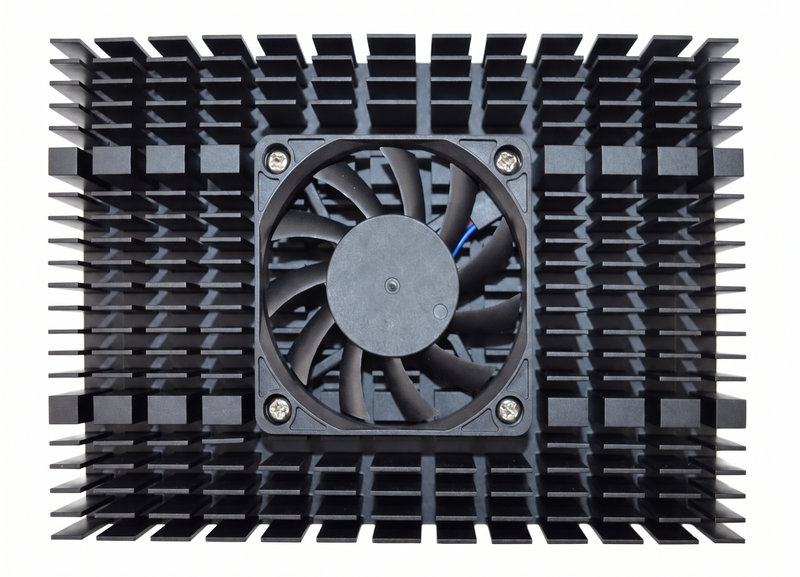
*Ships with black heatsink with fan for bench testing
NPUIntel® AI Boost with 12 TOPS
GraphicsIntel® Graphics
Supports 4 Displays
Memory2 x Dual Channel Non-ECC DDR5-5600 MT/s SODIMM up to 128GB
AudioRealtek ALC897 HD Audio and 3W Amplifier
LAN1 x Intel I226-V 2.5GbE
1 x Intel I226-LM PCIe 2.5GbE
Storage1 x SATA3 6Gb/s
1 x M.2 2242/2280 (PCIe 4.0 x4 NVMe or SATA, M-key)
Super IOFINTEK F81966AB
TPMIntel fTPM 2.0 (PTT) Trusted Computing FirmwareIntel fTPM 2.0 (PTT) Trusted Computing Firmware
Onboard NUVOTON TPM v2.0
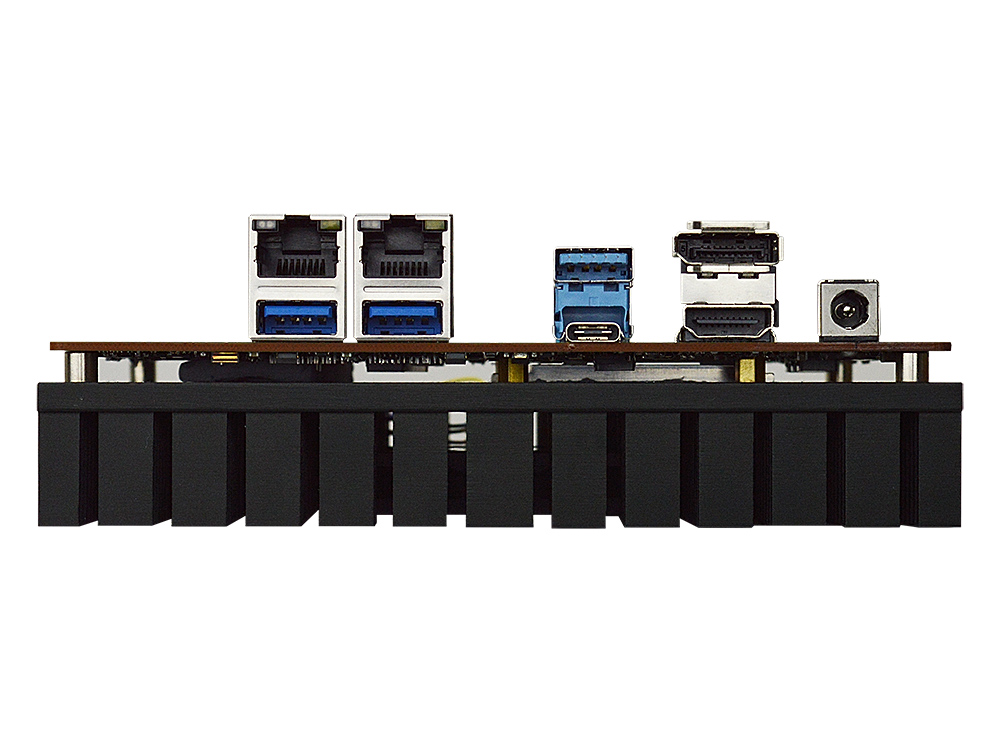
Back Panel Connectors
2 RJ45 2.5GbE LAN (10/100/1000/2500)
3 USB 3.2 Gen 2x1 (10 Gb/s)
1 USB 3.2 Gen 2x2 Type-C (20 Gb/s) with DP 1.4 (3840 x 2160 @ 60Hz)
1 HDMI 2.0b (4096 x 2160 @ 60Hz)
1 DP 1.4 (3840 x 2160 @ 60Hz)
1 12V ~ 36V 2.5mm Diameter DC Power Jack
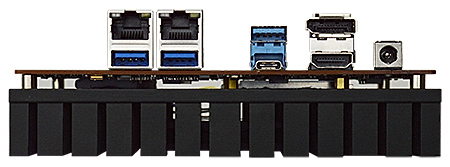
F35-ARU1 3.5 SBC Motherboard Rear I/O Ports with Dual 2.5GbE LAN and 4 Displays
Onboard I/O Connectors
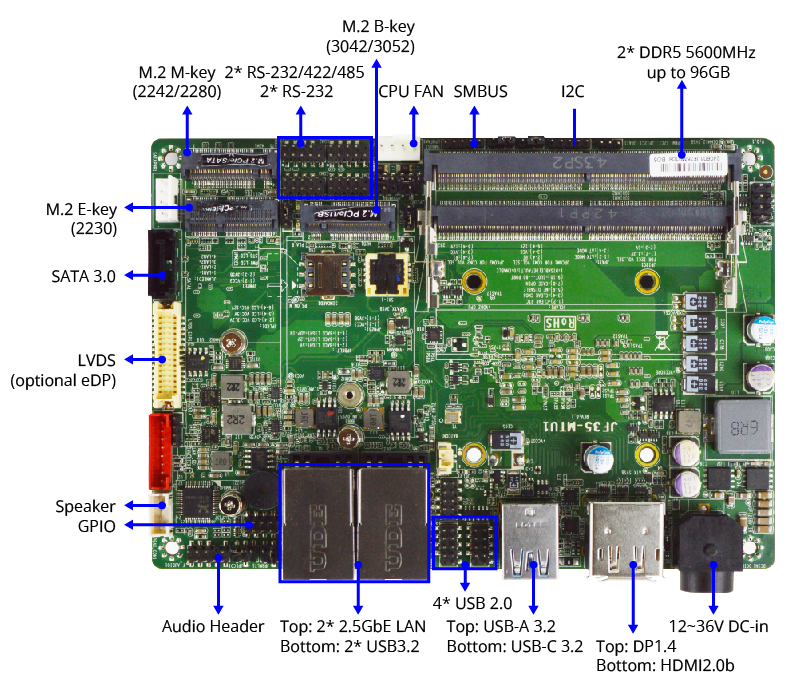
1 SATA3 6Gb/s Connector
1 M.2 M-Key, 2242/2280 (PCIe 4.0 x4 NVMe or SATA)
1 M.2 E-key, 2230 (USB2.0 and PCIe 3.0 x1 CNVi WiFi)
1 M.2 B-key, 3042 3052 (USB3.2 and PCIe 3.0 x2 for Cellular)
2 USB Headers for 4 additional USB 2.0 Ports
4 Serial Headers (2 * RS232, 2 * RS232/422/485)
1 24-bits Dual Channel LVDS/eDP (1920 x 1200 @ 60Hz)
1 Nano SIM Socket
1 8 bit GPIO Header
1 AT/ATX Mode Jumper
1 9-pin Front Audio Header
1 5-pin I2C Header
1 5-pin SMBUS Header
1 Fan Header
Power Supply for F35-ARU1
External Power Supply – the board can be powered with a +12V ~ +36V external power supply though a DC connector on the back panel. The rear +12V ~ +36V DC jack accepts plugs with a 4-pin Mini-DIN connector.
Market Segments Supported
√ Edge Computing
√ Digital Signage
√ Industrial PCs
√ Factory Automation
√ Public Sector
√ Digital Security
√ Surveillance Application
Environment
Operating Temperature : -20 ~ 60°C
Storage Temperature : -20 ~ 85°C
Humidity: 10% ~ 90% RH @40°C (non-condensing)

Features


Ordering Info

Part Number Description
F35-ARU1-255U0020 Industrial Intel Core™ Ultra 7 255U SBC motherboard
F35-ARU1-255U0220 Industrial Intel Core™ Ultra 7 255U SBC motherboard with onboard TPM 2.0
F35-ARU1-225U0020 Industrial Intel Core™ Ultra 5 225U SBC motherboard
F35-ARU1-225U0220 Industrial Intel Core™ Ultra 5 225U SBC motherboard with onboard TPM 2.0
Standard Accessories (Included)
G01-SATA3-BL-1F SATA cable
G01-PW4PS2S-322-1F SATA power cable
G01-COM-H2M20-1F COM cable
F05-JF35-04-F Black heatsink
F07-FN606010-F Cooling fan

OS Support List

Windows

  • Windows 11 64bit
  • Windows 11 IoT Enterprise LTSC 2024 64-bit (24H2)
  • Windows 10 IoT Enterprise LTSC 2021 64-bit (21H2)

Linux & BSD

  • CentOS 9
  • Debian 12
  • DynFi Firewall v24
  • Fedora 40-1.14
  • FreeBSD 15
  • OpenBSD 7.6
  • OpenSUSE 15.6
  • OPNsense 24.7
  • RedHat Enterprise 9.5
  • TrueNAS SCALE 25.04
  • Ubuntu 24.04
  • VMware ESXi 8.0 Update 2

Downloads

BIOS

⚠️ WARNING:
  • Do not flash the BIOS unless necessary. Incorrect updates cause permanent system failure. Jetway does not offer direct end-user chip replacements—contact your dealer for assistance in case of flash failure.
View BIOS Flash Instructions for UEFI
  1. Unzip the file and copy to the USB flash drive with FAT32 format.
  2. Insert the USB drive, Enter BIOS, and select "Built-in EFI Shell" from Boot Override.
  3. Type "fs0:" to change path when you see Shell prompt. Might be "fs1:" if you have more than one drive.
  4. Type *.NSH to auto update BIOS.
  5. Power off the system after the update finished.
* Read Detailed Instructions in PDF

F35-ARU1-255U0020
(Default fTPM)

Version:A02 Release Date:2026-6-12 Description:Update Microsoft UEFI CA 2023. Revised History:[A01]. Initial BIOS.

F35-ARU1-255U0220
(Default dTPM)

Version:AT2 Release Date:2026-6-12 Description:Update Microsoft UEFI CA 2023. Revised History:[AT1]. Initial BIOS.

Drivers

Windows 10 IoT (64 bit) / Windows 11 (64 bit)
Chipset Download
NPU Download
PMT Download
Graphic Download
Sound Download
LAN Download
RST Download
SIO Download
ME Download
WDT_GPIO SDK Download

Manual

Motherboard Manual Download
RAID Installation Guide Download